
3E-VIP is more than an application portal. It gives you live visibility of every transaction, from quote through to signed documents, so you always know where a deal is at without having to ask.
It also puts the data you need to retain your clients at your fingertips, highlighting upgrade opportunities based on timing or, for usage agreements, total volume.
Transparency is what sets 3E apart, and 3E-VIP is where you’ll see it.
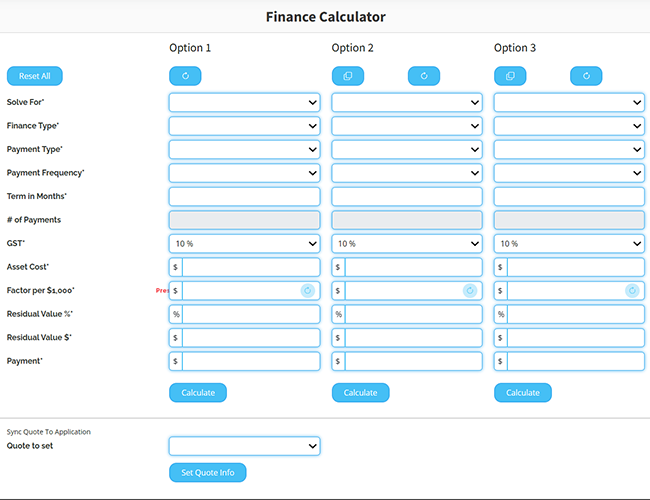
Calculate finance quotes for your client with our easy to use finance calculator. This allows you to quickly calculate up to 3 options, duplicating key information and adjusting for term, finance type or other parameters.
Once you have confirmed which option you wish to go with, easily start an application with the calculation pre-populated in our online application form.
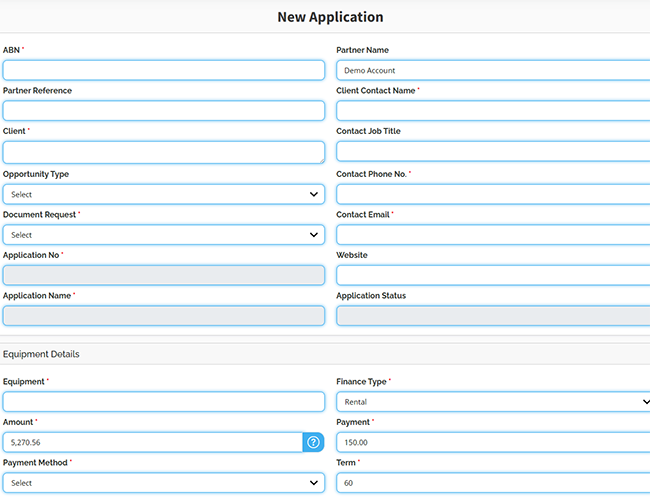
Submit your applications for funding 24/7 via VIP. Your application is fed directly to the 3E application queue to be processed by our team, during business hours. Once your application has been reviewed and actioned, you will be able to track its progress via your Work In Progress (WIP) tab.
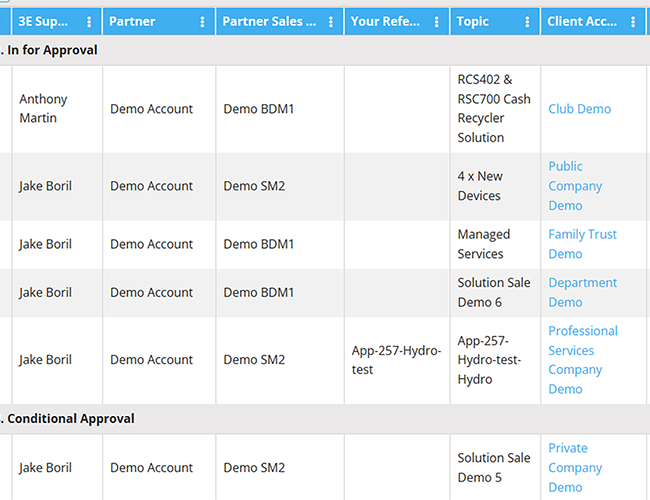
Our highly customisable report views make it easy for you to keep track of your portfolio.
Whether it’s transactions on the go and checking in on their current status, or reviewing your clients current agreements and assets. All this and more is easy with the drag and drop grouping, quick text filtering and sorting by any column.
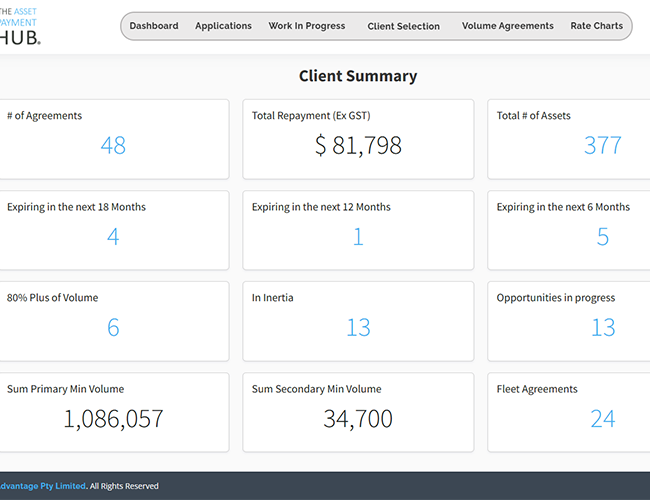
Use your personal Client Summary dashboard to identify at a glance the opportunities in your portfolio. Quickly view those immediate opportunities that are in Inertia or due to come to end of term in the next 12-18 months.
If your portfolio includes usage based agreements, get an immediate view of those agreements that have reached 80% of their contracted volume. The perfect time to start a conversation with your client about upgrade/renewal options.
View each asset and its details, including anticipated volume, actual volume, start date, expiry date and status.
View monthly readings as reported at an agreement level and down to the individual assets.
Plus, view your clients’ historical invoices, with all the relevant usage and charges details.
Identify opportunities with our helpful colour coding of volumes. Once a contracted volume reaches or exceeds 80% the volume will be green.